https://github.com/zytc2009/BigTeam_learning
分类: Java
2010-11-19 16:38:00
 下载SeeJoPlayer v1.2.0 beta 下载SeeJoPlayer v1.2.0 beta源码
更新说明:
1、完美支持android1.5、android1.6、android2.0、android2.01、android2.1平台;
2、完美支持320×480、480×800、480×854等各种分辨率(自适应屏幕分辨率);
3、支持在线音视频播放,支持URL input和从浏览器调用SeeJoPlayer播放器播放在线音视频;
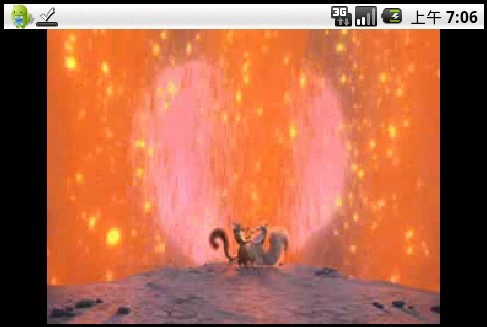
4、自动转为横屏播放,为用户提供更好的观看体验;
5、修改了没有SD卡程序出错的Bug;
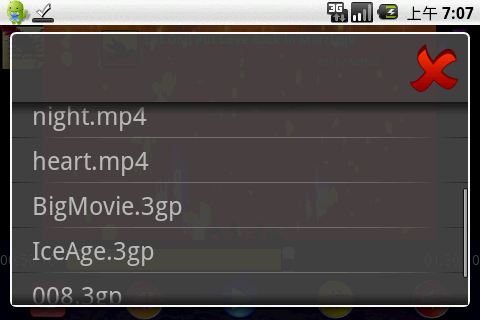
6、美化了视频播放列表和操作说明的界面。
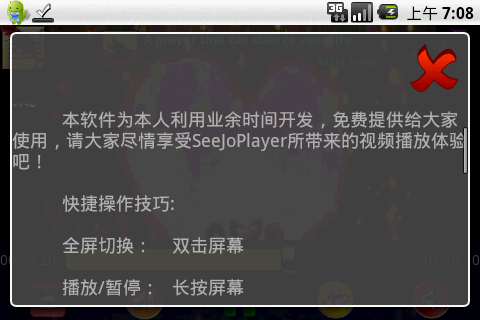
补充图片:
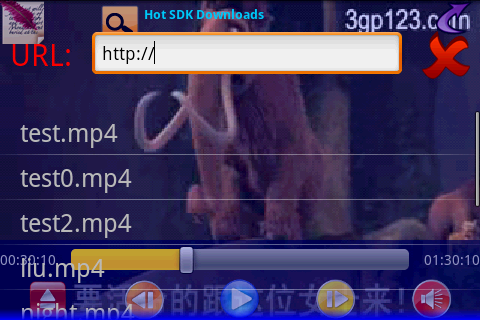
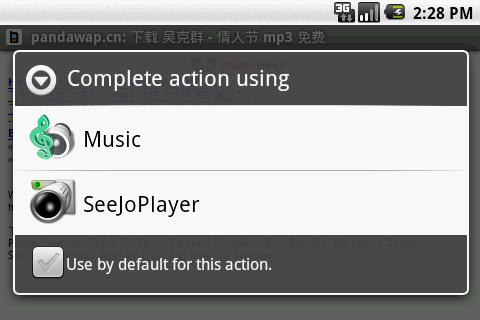
感谢大家对SeeJoPlayer的大力支持!希望新版本能带给大家更好的体验!
2010.01.24 SeeJoPlayer v1.0.0版:
SeeJoPlayer是我利用业余时间开发的一款免费的视频播放器。主要是现在在网上似乎找不到一个Android平台下的界面美观一点的视频
播放器。而作为智能手机操作系统的Android,没有一个像样一点的视频播放器,岂不糗大了。所以,我就写了这么一个砖头并开出源码,希望能引出高手们
的美玉来吧!

第一部分:功能介绍



 @Override
 protected void onMeasure(int widthMeasureSpec, int heightMeasureSpec) {
 //Log.i("@@@@", "onMeasure"); int width = getDefaultSize(mVideoWidth, widthMeasureSpec); int height = getDefaultSize(mVideoHeight, heightMeasureSpec);
 if (mVideoWidth > 0 && mVideoHeight > 0) { if ( mVideoWidth * height > width * mVideoHeight ) { //Log.i("@@@", "image too tall, correcting"); height = width * mVideoHeight / mVideoWidth; } else if ( mVideoWidth * height < width * mVideoHeight ) { //Log.i("@@@", "image too wide, correcting"); width = height * mVideoWidth / mVideoHeight; } else { //Log.i("@@@", "aspect ratio is correct: " + //width+"/"+height+"="+ //mVideoWidth+"/"+mVideoHeight);
 } } //Log.i("@@@@@@@@@@", "setting size: " + width + 'x' + height); setMeasuredDimension(width, height);
 }@Override protected void onMeasure(int widthMeasureSpec, int heightMeasureSpec) { //Log.i("@@@@", "onMeasure"); int width = getDefaultSize(mVideoWidth, widthMeasureSpec); int height = getDefaultSize(mVideoHeight, heightMeasureSpec); /*if (mVideoWidth > 0 && mVideoHeight > 0) { if ( mVideoWidth * height > width * mVideoHeight ) { //Log.i("@@@", "image too tall, correcting"); height = width * mVideoHeight / mVideoWidth; } else if ( mVideoWidth * height < width * mVideoHeight ) { //Log.i("@@@", "image too wide, correcting"); width = height * mVideoWidth / mVideoHeight; } else { //Log.i("@@@", "aspect ratio is correct: " + //width+"/"+height+"="+ //mVideoWidth+"/"+mVideoHeight); } }*/ //Log.i("@@@@@@@@@@", "setting size: " + width + 'x' + height); setMeasuredDimension(width,height); }private Uri videoListUri = MediaStore.Video.Media.EXTERNAL_CONTENT_URI;
 Cursor cursor = getContentResolver().query(videoListUri, new String[]{"_display_name","_data"}, null, null, null); int n = cursor.getCount(); cursor.moveToFirst(); LinkedList<MovieInfo> playList2 = new LinkedList<MovieInfo>(); for(int i = 0 ; i != n ; ++i){ MovieInfo mInfo = new MovieInfo(); mInfo.displayName = cursor.getString(cursor.getColumnIndex("_display_name")); mInfo.path = cursor.getString(cursor.getColumnIndex("_data")); playList2.add(mInfo); cursor.moveToNext(); } private void getVideoFile(final LinkedList<MovieInfo> list,File file){ file.listFiles(new FileFilter(){ @Override public boolean accept(File file) { // TODO Auto-generated method stub String name = file.getName(); int i = name.indexOf('.'); if(i != -1){ name = name.substring(i); if(name.equalsIgnoreCase(".mp4")||name.equalsIgnoreCase(".3gp")){ MovieInfo mi = new MovieInfo(); mi.displayName = file.getName(); mi.path = file.getAbsolutePath(); list.add(mi); return true; } }else if(file.isDirectory()){ getVideoFile(list, file); } return false; } }); } Handler myHandler = new Handler(){ @Override public void handleMessage(Message msg) { // TODO Auto-generated method stub switch(msg.what){ case PROGRESS_CHANGED: int i = vv.getCurrentPosition(); seekBar.setProgress(i); i/=1000; int minute = i/60; int hour = minute/60; int second = i%60; minute %= 60; playedTextView.setText(String.format("%02d:%02d:%02d", hour,minute,second)); sendEmptyMessage(PROGRESS_CHANGED); break; @Override public void onCreate(Bundle icicle) { super.onCreate(icicle); requestWindowFeature(Window.FEATURE_NO_TITLE); Window win = getWindow(); win.setFlags(WindowManager.LayoutParams.NO_STATUS_BAR_FLAG, WindowManager.LayoutParams.NO_STATUS_BAR_FLAG); setContentView(R.layout.mylayout); <activity android:name=".MyActivity" android:label="" android:theme="@android:style/Theme.NoTitleBar.Fullscreen">getWindow().addFlags(WindowManager.LayoutParams.FLAG_FULLSCREEN);getWindow().clearFlags(WindowManager.LayoutParams.FLAG_FULLSCREEN); AudioManager am = (AudioManager) mContext.getSystemService(Context.AUDIO_SERVICE); setIndex(am.getStreamVolume(AudioManager.STREAM_MUSIC));


